

Top QuickBooks Online Integration Tools Every Amazon Seller Should Consider
Are you spending too much time manually moving Amazon sales and transaction data into QuickBooks Online? For Amazon sellers, keeping financial records accurate can become increasingly difficult as sales volume grows. Orders, Amazon fees, refunds, returns, advertising costs, settlements, and other transactions can quickly create a large amount of financial data to manage.
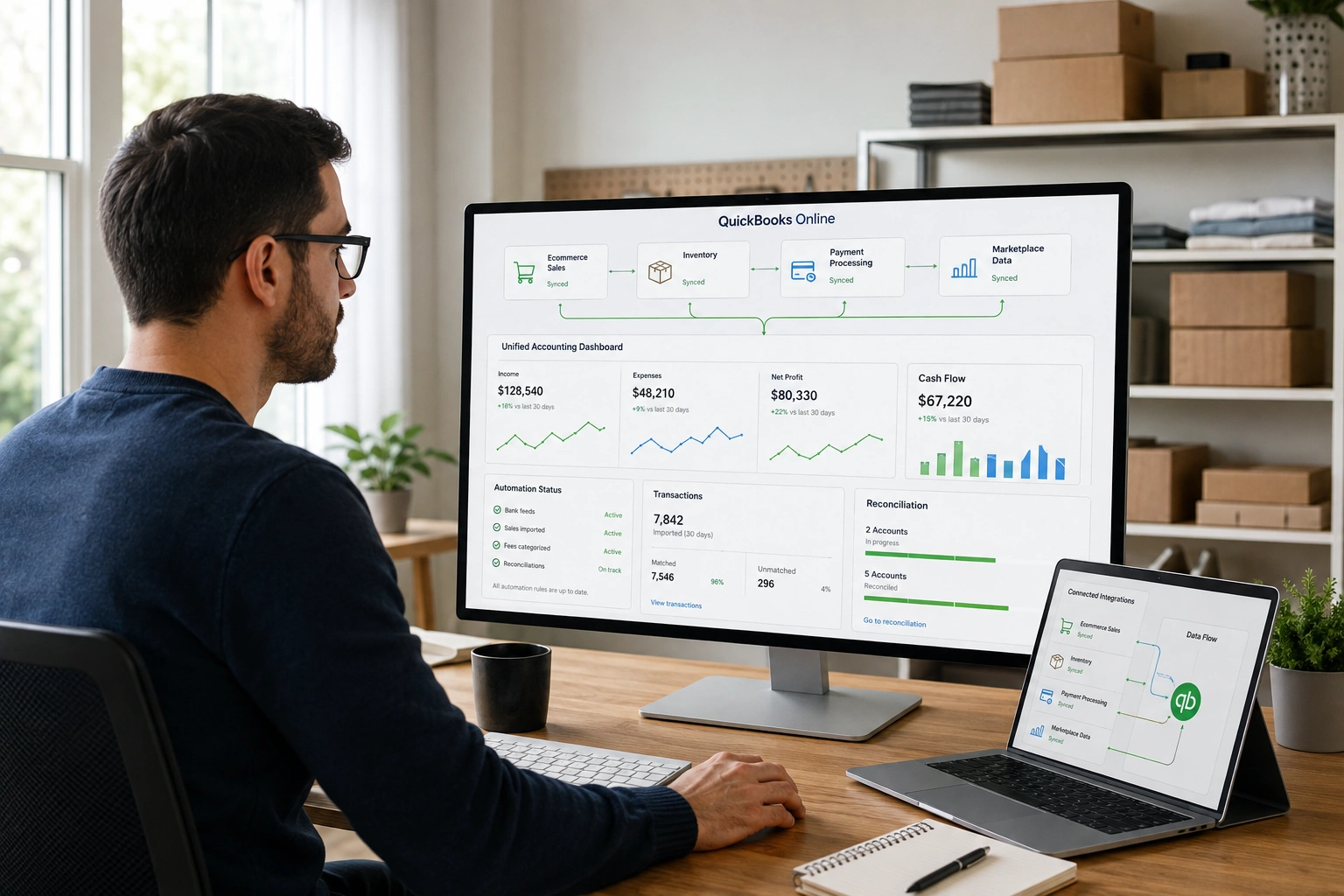
The right tools for QuickBooks Online integration Amazon sellers use can reduce repetitive data entry and create a more organised bookkeeping workflow. Instead of manually transferring every transaction, integration software can help synchronise relevant Amazon information with QuickBooks Online.
However, software alone does not guarantee accurate books. Good accounting for Amazon sellers still requires proper account mapping, reconciliation, review, and financial oversight. The right integration tool should support your accounting process rather than replace it.
What Are QuickBooks Online Integration Tools for Amazon Sellers?
QuickBooks Online integration tools connect Amazon seller data with QuickBooks Online to simplify the transfer and organisation of sales, fees, refunds, settlements, and other financial information. They can automate repetitive bookkeeping tasks, reduce manual data entry, and help sellers maintain more consistent financial records.
Amazon businesses can generate a significant amount of transaction data.
An integration tool can act as a bridge between Amazon and your accounting system, helping move relevant information into QuickBooks Online according to the workflow you establish.
Depending on the software, this may include:
- Amazon sales
- Refunds
- Amazon fees
- Settlement information
- Expenses
- Payouts
- Other transaction data
The level of automation varies between tools.
Some solutions focus primarily on settlement-based accounting, while others offer broader eCommerce integrations or additional reporting capabilities.
This distinction matters because Amazon sellers have different accounting needs.
A small seller with one marketplace and a relatively low transaction volume may need a simpler setup than a growing business selling across Amazon, Shopify, Walmart, and other channels.
Why Should Amazon Sellers Integrate Amazon With QuickBooks Online?
Integrating Amazon with QuickBooks Online can help sellers reduce manual data entry, organise marketplace transactions, improve bookkeeping efficiency, and gain clearer financial visibility. Automated data transfers can also make it easier to maintain consistent records as sales volume and transaction complexity increase.
Without an integration workflow, sellers may need to spend significant time moving information between platforms.
That can create repetitive administrative work and increase the possibility of data-entry mistakes.
Integration can help by creating a more consistent flow of information.
Key benefits can include:
- Less manual data entry
- Reduced repetitive work
- Faster transaction processing
- Better financial organisation
- Improved reporting
- Easier reconciliation
- Greater visibility into business performance
- More scalable bookkeeping processes
For Amazon businesses, these benefits become increasingly important as transaction volume increases.
Integration can also give business owners and their accountants more time to focus on analysing financial information rather than manually transferring it.
What Should You Look for in a QuickBooks Online Amazon Integration Tool?
Not every integration tool works the same way.
Before choosing one, consider how well it fits your business model, accounting workflow, transaction volume, and reporting requirements.
Amazon Compatibility
First, determine whether the tool supports the Amazon marketplace and account structure you use.
If you operate across different marketplaces or regions, verify that the integration supports the specific setup your business requires.
QuickBooks Online Compatibility
The tool should work reliably with your QuickBooks Online account.
Pay attention to how transactions are transferred and whether the integration gives you control over how information is mapped to your accounting categories.
Settlement-Level Data
Amazon sellers should look beyond gross sales.
Amazon payouts may reflect deductions for fees, refunds, advertising, and other transactions.
A tool that helps organise settlement information can provide a more useful picture of what actually happened financially.
Amazon Fee Tracking
Amazon charges sellers different types of fees depending on their business model and fulfilment arrangements.
Your accounting workflow should account for relevant fees rather than treating the Amazon payout as simple revenue.
Refund and Return Handling
Returns and refunds can affect both sales and financial reporting.
Consider how an integration tool handles these transactions and whether they are presented clearly in QuickBooks Online.
Reconciliation Features
Integration should make reconciliation easier, not more confusing.
Look for a workflow that allows you to compare Amazon activity with QuickBooks Online and bank records.
Automation
Automation can save significant time, particularly for sellers processing large numbers of transactions.
However, automated processes should still be reviewed regularly.
Reporting
Consider whether the resulting accounting data supports the financial reports you need.
Scalability
The tool should continue to work as your business grows.
A solution that works for 100 monthly transactions may not be appropriate when your business is processing thousands.
Security
Financial data requires careful handling.
Before connecting an external application to Amazon or QuickBooks Online, review its security practices, permissions, data access, and account authorisation requirements.
What Are the Best Tools for QuickBooks Online Integration Amazon Sellers Can Consider?
There is no single integration tool that is ideal for every Amazon seller.
The right option depends on your transaction volume, accounting requirements, number of sales channels, inventory complexity, and budget.
Here are several tools worth evaluating.
Amazon and QuickBooks Online
Amazon and QuickBooks Online provide integration options that can be useful for sellers looking for a connection between their marketplace activity and accounting system.
This can be a practical starting point for businesses with relatively straightforward requirements.
However, sellers should review the current functionality available for their specific Amazon and QuickBooks accounts.
As your business becomes more complex, you may need more specialised marketplace accounting capabilities.
A2X
A2X is designed to help eCommerce businesses connect marketplace settlement data with accounting systems.
Its approach is particularly relevant for sellers who need to understand how Amazon sales, fees, refunds, and other transactions contribute to settlement amounts.
For Amazon sellers, settlement-based accounting can be useful because the amount deposited into a bank account may differ substantially from gross sales.
Link My Books
Link My Books focuses on automating eCommerce transaction data and mapping it into accounting systems.
This can be useful for businesses that sell through multiple online channels and need a consistent accounting workflow.
When evaluating the tool, sellers should consider whether its current Amazon and QuickBooks Online capabilities fit their specific transaction and tax requirements.
Webgility
Webgility offers eCommerce integrations designed for businesses managing multiple online sales channels.
It may be worth considering for Amazon sellers who also operate other eCommerce stores or marketplaces.
A multi-channel business can benefit from having a more centralised approach to moving sales information into its accounting system.
Synder
Synder provides transaction synchronisation and accounting integrations for businesses using online sales and payment platforms.
Amazon sellers evaluating it should consider how the available functionality fits their particular Amazon workflow and QuickBooks Online setup.
Sellerboard
Sellerboard is primarily known for Amazon seller analytics and profitability-related insights.
It is different from a dedicated bookkeeping integration tool, but it can still be useful when sellers want additional visibility into business performance.
It is important to distinguish between financial analytics and accounting integration when comparing software.
Features, pricing, marketplace support, and integrations can change, so always verify current capabilities directly with each provider before making a purchasing decision.
QuickBooks Online Integration Tools Comparison
| Tool | Best For | Key Strength | Amazon Seller Use |
| Amazon + QuickBooks Online | Sellers wanting a direct ecosystem connection | Integration within the Amazon and QuickBooks environment | Basic integration workflows |
| A2X | Sellers needing settlement-based accounting | Organising marketplace settlement data | Amazon and eCommerce accounting |
| Link My Books | Sellers wanting transaction automation | Transaction and tax mapping | Multi-channel sellers |
| Webgility | Growing multi-channel businesses | Broad eCommerce integrations | Amazon and other sales channels |
| Synder | Businesses needing transaction synchronisation | Automated data syncing | Amazon and other online platforms |
| Sellerboard | Sellers focused on profitability analytics | Amazon business performance insights | Financial performance monitoring |
The best choice depends on your business requirements.
Before selecting a tool, evaluate its current integrations, pricing, supported features, data mapping capabilities, and compatibility with your accounting workflow.
How Do Amazon QuickBooks Integration Tools Handle Amazon Fees and Refunds?
Amazon sellers should not evaluate their financial performance based solely on gross sales.
A seller may generate substantial revenue while also paying high marketplace-related costs.
These can include:
- Referral fees
- FBA fees
- Advertising expenses
- Refunds
- Returns
- Other Amazon deductions
- Inventory-related costs
- Other operating expenses
For example, suppose your Amazon account generates $20,000 in sales.
That does not necessarily mean $20,000 will appear as a bank deposit.
Amazon may deduct applicable fees, refunds, and other amounts before the settlement reaches your bank account.
An integration tool can help organise these transactions within QuickBooks Online.
However, proper account mapping and reconciliation remain essential.
This is one reason accounting for Amazon sellers requires more than simply connecting two software platforms.
The accounting workflow needs to accurately reflect what the transactions actually represent.
Can QuickBooks Online Integration Automate Amazon Bookkeeping?
QuickBooks Online integration can automate parts of Amazon bookkeeping, including transaction imports, settlement synchronisation, data mapping, and recurring workflows. However, automation does not eliminate the need for reconciliation, account review, inventory accounting, or professional oversight when financial accuracy is important.
Automation is particularly valuable for repetitive tasks.
Instead of manually entering every transaction, sellers can establish workflows that move information between systems.
Tasks that may be automated include:
- Transaction imports
- Settlement synchronisation
- Fee categorisation
- Sales data transfers
- Recurring bookkeeping workflows
- Data organisation
Tasks that may still require human review include:
- Account mapping
- Bank reconciliation
- Inventory accounting
- Cost of goods sold
- Tax-related treatment
- Financial statement review
- Unusual transactions
- Error correction
The key is to use automation appropriately.
Software can move and organise information, but it does not necessarily understand the financial context of every transaction.
How Do You Choose the Right Integration Tool for Your Amazon Business?
Start by looking at your actual business requirements rather than choosing the tool with the longest feature list.
Consider Your Business Size
A small Amazon seller may have relatively straightforward accounting needs.
A larger operation may need more advanced automation, reporting, and multi-channel capabilities.
Consider Transaction Volume
The more transactions your business processes, the more valuable automation can become.
Consider Your Sales Channels
If you sell exclusively through Amazon, a specialised Amazon solution may be sufficient.
If you also sell through Shopify, Walmart, eBay, or other platforms, you may benefit from broader eCommerce integration capabilities.
Consider Inventory Complexity
Inventory can make Amazon accounting more complicated.
If you carry significant inventory or sell many SKUs, consider how the integration fits into your inventory accounting workflow.
Consider Your Reporting Needs
Ask what information you need to make decisions.
Do you need basic bookkeeping, detailed settlement information, profitability analysis, or multi-channel financial reporting?
Your reporting requirements should influence your software decision.
Consider Your Budget
Integration software has a cost.
Compare that cost with the amount of time, administrative effort, and potential errors it could help reduce.
Consider Your Accounting Support
If you already work with a bookkeeper or accountant, involve them in the selection process.
They can help determine whether the integration will fit properly into your existing accounting workflow.
What Are the Benefits of Combining Integration Software With Professional Accounting?
Technology and accounting expertise solve different problems.
Integration software can help move and organise information.
An accounting professional can help ensure that information is correctly interpreted, reconciled, and reflected in the financial records.
Integration Software Can Provide:
- Automation
- Data synchronisation
- Transaction organisation
- Workflow efficiency
- Reduced manual entry
Accounting Professionals Can Provide:
- Account mapping
- Reconciliation
- Financial reporting
- Inventory accounting
- Financial analysis
- Tax-related support
- Profitability analysis
- Business financial guidance
This combination can be especially valuable for growing Amazon sellers.
As transaction volume increases, the accounting process needs to remain accurate while becoming more efficient.
That is where accounting for Amazon sellers becomes a strategic part of managing the business.
Why Businesses Choose Kigitz
At Kigitz, we understand that Amazon sellers need accounting processes that reflect how marketplace businesses actually operate.
Amazon businesses can involve sales, marketplace fees, FBA costs, advertising expenses, refunds, inventory, settlements, and multiple financial transactions.
Simply connecting Amazon to QuickBooks Online does not automatically make all of that information meaningful.
We help businesses establish organised financial processes that support accurate bookkeeping and reporting.
Amazon and eCommerce Accounting Expertise
Amazon sellers have accounting considerations that can differ from traditional businesses.
Understanding marketplace transactions can help create a more useful accounting workflow.
Technology and Accounting
We recognise the value of automation while understanding that technology should support, not replace, sound accounting practices.
Accurate Financial Records
Reliable bookkeeping and reconciliation help business owners understand where their money is going and how the business is performing.
Business-Specific Support
Every Amazon business is different.
Transaction volume, inventory, sales channels, expenses, and reporting requirements can all affect the appropriate accounting setup.
Scalable Financial Support
As your business grows, your accounting requirements can become more complex.
A properly structured process can grow with your business instead of requiring constant manual workarounds.
Financial Clarity
Our goal is to help business owners turn financial data into information they can actually use.
Learn more about Kigitz’s Amazon Sellers Accounting Services.
Frequently Asked Questions
Can Amazon Connect Directly to QuickBooks Online?
Amazon sellers have integration options for connecting marketplace information with QuickBooks Online. The available functionality can depend on the specific account setup and integration method, so sellers should verify the current features available to them.
What Is the Best QuickBooks Integration for Amazon Sellers?
There is no single best integration for every Amazon seller. The right option depends on transaction volume, number of sales channels, inventory complexity, reporting requirements, budget, and the level of automation needed.
Can QuickBooks Online Track Amazon Fees?
Yes, Amazon-related fees can be incorporated into a QuickBooks Online accounting workflow. Proper mapping is important so that fees are classified appropriately, and financial reports accurately reflect the costs of selling on Amazon.
Can Amazon QuickBooks Integration Automate Bookkeeping?
Integration can automate many repetitive bookkeeping tasks, including certain transaction imports, settlement synchronisation, and data mapping. However, businesses should still review their books and reconcile transactions to maintain accuracy.
Do I Need an Accountant If I Use an Amazon QuickBooks Integration Tool?
An integration tool can reduce manual bookkeeping work, but it does not necessarily replace an accountant. Professional accounting support can be particularly useful for reconciliation, inventory accounting, financial reporting, tax considerations, and interpreting business performance.
Which QuickBooks Integration Is Best for Amazon FBA Sellers?
FBA sellers should consider tools based on their settlement data requirements, transaction volume, fees, refunds, inventory complexity, and reporting needs. A tool that works well for one seller may not be appropriate for another.
Can QuickBooks Online Integrate With Multiple Amazon Stores?
The ability to connect multiple stores or marketplaces depends on the integration solution and the specific account configuration. Sellers managing multiple stores should confirm current support before selecting a platform.
Is Amazon Integration Enough for Accurate Accounting?
No. Integration can improve the flow of information, but accurate accounting also requires proper categorisation, reconciliation, review, and financial reporting.
Final Thoughts
Choosing the right tools for QuickBooks Online integration Amazon sellers use can make financial management considerably more efficient.
Instead of manually transferring large amounts of marketplace data, sellers can use integration software to automate repetitive processes, organise transactions, and create a more consistent bookkeeping workflow.
However, integration should be viewed as one part of the accounting system.
Amazon fees, refunds, settlements, inventory, advertising expenses, and other marketplace transactions still need to be properly understood and reconciled.
For this reason, reliable accounting for Amazon sellers combines appropriate technology with accurate bookkeeping and professional financial oversight.
As your Amazon business grows, the right combination can help you save time, improve financial visibility, and make better decisions based on reliable information.
Need Help With Your Amazon Accounting?
If you’re unsure which integration approach makes sense for your business, Kigitz can help you evaluate your accounting workflow and financial reporting needs.
Schedule a consultation with Kigitz to learn how our accounting services can help you build a more organised, accurate, and scalable financial process for your Amazon business.
Learn more about bookkeeping through our articles below:
- Contract for Bookkeeping Services
- Amazon FBA Accountants
- Accounting Services for Amazon Sellers
- Best Bookkeeping Services for Amazon Sellers
